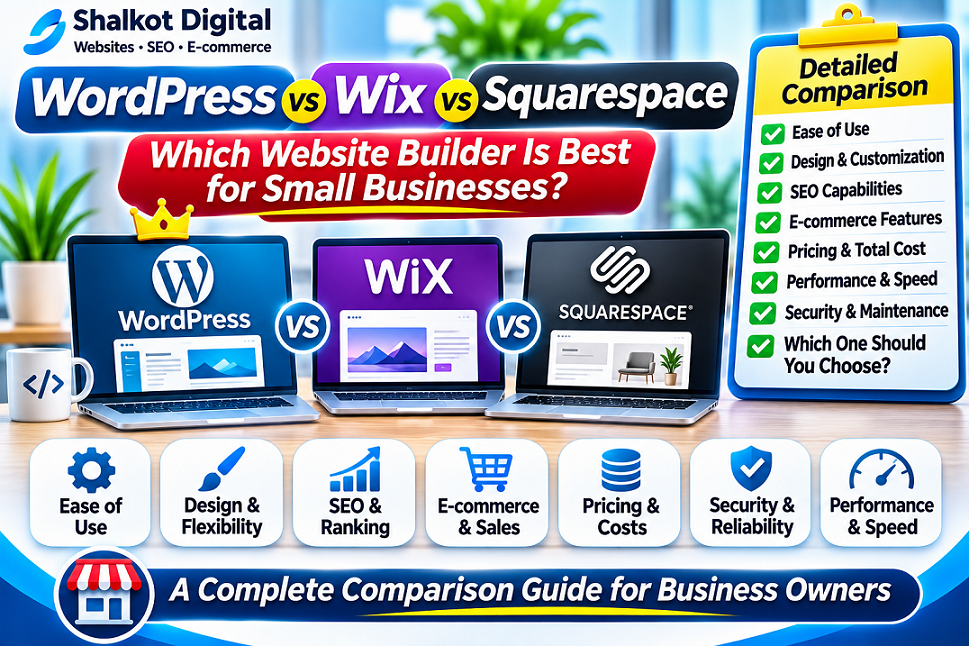
WordPress vs Wix vs Squarespace: Which Website Builder Is Best for Small Businesses?
A practical comparison of design, ease of use, SEO, e-commerce, costs, maintenance and long-term control—so you can choose a platform that fits your business rather than chasing trends.
Quick answer: Choose Wix or Squarespace when you want a relatively simple website with bundled hosting and less technical upkeep. Choose self-hosted WordPress when you value deeper customization, a broad plugin ecosystem and more hosting control. Your requirements—not a universal ranking—should decide.
1. What are WordPress, Wix and Squarespace?
WordPress is open-source content management software. For this comparison, WordPress means the self-hosted software available from WordPress.org, installed on hosting you choose. Wix is a hosted website-building platform with visual editing and bundled infrastructure. Squarespace is a hosted platform known for curated templates and integrated site management.
All three can produce attractive business websites. The right choice depends on whether you prioritize speed of setup, ownership and portability, editorial flexibility, commerce requirements or the time available for ongoing maintenance.
2. Quick comparison table
| Factor | WordPress (self-hosted) | Wix | Squarespace |
|---|---|---|---|
| Hosting | Choose your provider | Included with platform | Included with platform |
| Setup | More decisions and configuration | Visual builder, generally quick | Template-led setup |
| Customization | Extensive themes, plugins and code access | Platform tools and supported integrations | Templates and supported customizations |
| Maintenance | You or your provider handle updates and backups | Core platform managed | Core platform managed |
| Commerce | WooCommerce and other options | Platform e-commerce features | Platform e-commerce features |
| Portability | Broad hosting and content portability | Migration can require rebuilding | Migration can require rebuilding |
Capabilities and plan inclusions change. Confirm features and current prices on each provider’s official website before buying.
3. Ease of use and learning curve
Wix is attractive to owners who want to assemble a simple site using a visual editor without managing hosting. Squarespace offers a similarly integrated workflow with strong emphasis on consistent templates. WordPress offers block editing, but users must also consider hosting, themes, plugins, updates and security.
For a five-page brochure website with a tight launch deadline, the hosted platforms may reduce operational complexity. For a business that expects custom workflows, complex content relationships or specialized integrations, the initial learning curve of WordPress may be worthwhile. If you need a tailored build, explore our WordPress website development services.
4. Design and customization
WordPress has a large ecosystem of themes and plugins and can support custom PHP, JavaScript, CSS and bespoke integrations. That flexibility can be powerful, but too many plugins or poorly maintained code can also introduce compatibility and security risks.
Wix and Squarespace provide controlled environments. Their editors make common design tasks approachable, but some layouts, integrations or backend behaviors may not be available without workarounds. Before committing, make a list of must-have features: appointment booking, multilingual pages, member access, product filters, quotation forms, or custom calculators. Our guide to choosing a WordPress developer explains what to ask before hiring.
5. SEO: which platform is better?
All three platforms can support essential search optimization: descriptive titles, meta descriptions, clean page copy, image alt text, mobile-friendly layouts and useful internal links. None guarantees rankings.
WordPress can provide deeper technical control through plugins and development work, which is useful for complex publishing operations. Wix and Squarespace simplify many common SEO settings and can be sufficient for smaller businesses.
For hands-on audits and indexing troubleshooting, see Shalkot Digital SEO Services and our guide to WordPress pages not showing on Google.
6. E-commerce and online stores
For a small catalog, Wix and Squarespace may be convenient because store management is integrated with the website builder. WordPress paired with WooCommerce can be a better fit when you need unusual shipping rules, locally relevant payment integrations, detailed product variations or custom checkout workflows.
Do not select a platform solely from the number of advertised features. Verify your country’s payment gateways, tax requirements, shipping carriers, inventory processes and return workflows first. Transaction fees and third-party extension costs may matter more than the entry-level subscription.
For a deeper platform comparison, read WordPress vs Shopify in 2027. Read our WooCommerce SEO checklist or explore WooCommerce development services.
7. Costs and total ownership
Website pricing is not a simple one-to-one comparison. A self-hosted WordPress website may require separate payments for hosting, a domain, premium plugins, professional development and maintenance. Hosted builders usually bundle hosting and core maintenance into a subscription, while premium features, commerce tiers and integrations can add expense.
| Cost category | WordPress | Wix / Squarespace |
|---|---|---|
| Domain | Typically purchased separately | May be bundled temporarily or purchased separately |
| Hosting | Separate hosting plan | Included in subscription |
| Design | Free/premium themes or custom design | Included templates; optional professional help |
| Extensions | Free and paid plugins | Paid tiers/apps may apply |
| Maintenance | Owner or paid provider | Core infrastructure handled by platform |
For budgeting, compare the three-year total cost, not just the first-month promotion. Include redesign, email, integrations, backups, transaction charges and the cost of moving later. Our WordPress website cost guide explains typical budget components. We have intentionally omitted exact subscription prices here because they vary by region, promotion and plan.
8. Ownership, portability and long-term control
WordPress allows you to choose and change hosting providers and access your site files and database. Migration still requires care, but you have broad control over the environment. Wix and Squarespace provide hosted convenience, though moving to another platform may require rebuilding the design or recreating features.
Regardless of platform, register your domain under your business, retain administrator access, document integrations and keep independent copies of critical business content. Ask any developer who owns the accounts and what happens when the engagement ends.
9. Performance, security and maintenance
Hosted platforms manage much of the underlying infrastructure, while WordPress performance and security depend more heavily on your hosting, themes, plugins and maintenance practices. This is neither an automatic advantage nor disadvantage: a well-maintained WordPress installation can perform strongly, and a poorly configured one can be slow.
For WordPress, schedule backups, keep software updated, enable multi-factor authentication, review plugins and measure Core Web Vitals. See our maintenance checklist, security checklist and speed optimization guide.
10. Which should your business choose?
Choose WordPress when…
You need complex content, tailored integrations, detailed commerce workflows, substantial long-term customization or more control over hosting and data.
Choose Wix when…
You want a straightforward visual builder for a relatively simple website and prefer not to manage your own hosting or core software updates.
Choose Squarespace when…
You want a polished template-led website, a cohesive editing experience and an integrated platform for a portfolio or small business presence.
Consider professional help when…
Your project involves custom integrations, payment complexity, large catalogs, technical SEO migrations, accessibility or demanding performance requirements.
11. A practical selection checklist
- Write down the main goal: leads, appointments, sales, publishing or memberships.
- List non-negotiable features and test each one on the candidate platform.
- Check payment gateways, shipping integrations and local tax needs.
- Estimate three-year costs, including paid extensions and maintenance.
- Confirm SEO controls and mobile usability on a test page.
- Understand how to export content and move to another provider.
- Check account ownership, backups, support and accessibility.
- Build a small prototype before migrating your existing business site.
If you already have a website, avoid switching platforms simply because another builder looks easier. First identify the specific problem—speed, editing, SEO, checkout or cost—and determine whether it can be solved on the current platform. For technical issues, use our common WordPress errors and fixes guide.
Frequently asked questions
Is WordPress better than Wix for SEO?
Not automatically. All three platforms can rank. WordPress offers extensive technical flexibility, but content quality, site structure, performance and relevance are usually more important than the platform name.
Is Squarespace easier than WordPress?
For many small websites, Squarespace requires fewer hosting and maintenance decisions. WordPress can require more setup but provides greater flexibility.
Can I sell products with all three?
Yes, subject to plan features and local payment availability. Compare shipping, taxes, payment providers and transaction costs for your specific country.
Can I move from Wix or Squarespace to WordPress?
You can move content in various ways, but designs and platform-specific features may need rebuilding. Plan URLs and redirects carefully.
Which option is cheapest?
There is no universal winner. Compare domain, hosting, subscriptions, extensions, professional services and ongoing support over several years.
Do I need a developer for WordPress?
Not necessarily for a simple site. Professional help is more valuable for complex functionality, store integrations, migrations and ongoing technical work.
Which platform should a growing online store use?
Choose based on catalog complexity, payment and shipping integrations, staff workflows, budget and support—not brand popularity alone.
More Shalkot Digital guides
Continue planning with our WordPress website cost guide, WordPress vs Shopify comparison, developer selection guide, and WordPress troubleshooting guide.
Official resources
Review current product capabilities and pricing at WordPress.org, Wix, and Squarespace. For SEO fundamentals, consult Google Search Central.
Need help choosing or building your business website?
Shalkot Digital can discuss WordPress development, WooCommerce stores and SEO improvements based on your requirements.
Request a Project QuoteWordPress ServicesView Portfolio