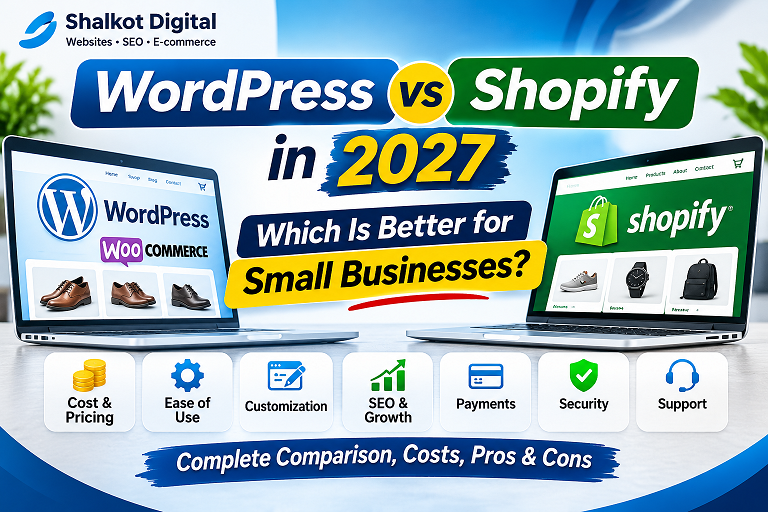
WordPress vs Shopify in 2027: Which Is Better for Small Businesses?
A practical comparison of setup costs, ease of use, SEO, payments, ownership, and long-term flexibility—so you can choose the right platform for your business.
Choosing between WordPress and Shopify is one of the first major decisions for a business planning to sell online. Both can power professional websites, but they work differently. Shopify is a hosted commerce platform built around selling products, while WordPress is an open-source content management system that can support online stores through WooCommerce.
This guide is written for small businesses planning for 2027. Features and prices can change, so treat any budget examples below as illustrative estimates, not confirmed 2027 vendor prices. Always verify current terms on the official Shopify pricing page and the WooCommerce website.
What Is the Difference Between WordPress and Shopify?
WordPress + WooCommerce
WordPress manages pages, posts, and site content. WooCommerce adds products, carts, checkout, and order management. You generally choose your own hosting, theme, and extensions, and take responsibility for ongoing maintenance or hire someone to manage it.
Best suited to: content-led brands, businesses needing custom features, and store owners who want more control over their site infrastructure.
Shopify
Shopify combines store management, hosting, checkout, and many commerce tools in one hosted service. You choose a plan, customize a theme, configure products and payments, and manage the store from a central dashboard.
Best suited to: merchants who prioritize a streamlined launch and prefer a managed platform over maintaining their own WordPress installation.
WordPress vs Shopify: Side-by-Side Comparison
| Factor | WordPress + WooCommerce | Shopify |
|---|---|---|
| Hosting | Choose and pay for your own host | Hosting included in the subscription |
| Initial setup | More decisions about hosting, plugins, and maintenance | Generally simpler managed setup |
| Blog and content | Extensive publishing and editorial flexibility | Built-in blogging with a commerce-first focus |
| Design customization | Broad theme, code, and plugin flexibility | Theme customization within platform architecture |
| Payments | Depends on gateways available for your business | Depends on Shopify-supported providers and country |
| Maintenance | Updates, backups, and security are your responsibility or your provider’s | Core platform maintenance is managed |
| Extensions | WordPress plugins and WooCommerce extensions | Shopify App Store ecosystem |
| Platform control | More direct control over hosting and code | Less infrastructure management, but platform-dependent |
1. Setup and Ease of Use
For a new store owner, Shopify can reduce the number of technical decisions needed before launch. Hosting, core updates, and the store administration environment are part of the managed service. You still need to configure products, shipping, taxes, policies, design, and payment options.
WordPress requires more initial planning. You select a host, install WordPress and WooCommerce, choose a compatible theme, and decide which extensions are necessary. Many hosts offer one-click installation, but you must still consider plugin compatibility, backups, and updates. This extra setup can be worthwhile if you need a website that combines rich content, custom tools, and a store.
2. Costs: Which Platform Is Cheaper?
Comparing only a monthly subscription against the free WooCommerce plugin is misleading. The relevant question is the total cost of ownership: hosting or subscription, domain, theme, paid extensions, payment processing, design, maintenance, and any development work.
| Cost category | WordPress + WooCommerce | Shopify |
|---|---|---|
| Platform software | Core WordPress and WooCommerce are free to download | Recurring subscription plan |
| Hosting | Separate hosting expense | Generally included in plan |
| Domain | Usually separate renewal | Usually separate renewal |
| Premium theme | Optional | Optional |
| Apps/extensions | Some free; others paid annually or monthly | Some free; others billed separately |
| Payment processing | Gateway-specific fees | Provider- and plan-specific fees |
| Developer support | Optional but useful for custom stores | Optional for advanced design and integrations |
Illustrative planning scenario: A very small WooCommerce store might budget for shared hosting, a domain, one or two paid extensions, and occasional maintenance. A Shopify store might budget for a subscription, domain, optional apps, and payment fees. Which total is lower depends on your traffic, store requirements, country, and the exact services you select.
For a deeper explanation of website budgeting, read our WordPress website cost guide. If you want a project-specific estimate, visit our WooCommerce development services.
3. SEO: WordPress or Shopify?
Both platforms can support search engine optimization. Search visibility depends heavily on useful content, clear site architecture, internal links, page performance, and whether search engines can access the right pages.
WordPress SEO strengths
WordPress provides extensive control over content templates, editorial workflows, and site structure. Popular SEO plugins can help manage metadata, XML sitemaps, and indexing preferences. This can be particularly valuable when a store also publishes buying guides, comparisons, and educational articles.
Shopify SEO strengths
Shopify supports common SEO essentials, including editable page titles, meta descriptions, product content, and redirects. Its managed infrastructure can simplify some operational concerns, although merchants still need to plan content and monitor performance.
Practical advice: Do not choose a platform based on claims that it automatically ranks higher on Google. Choose the platform your team can maintain well, then invest in content quality, technical hygiene, and user experience. Explore our SEO services if your existing store has indexing or content issues.
4. Payments, Shipping, and Country Availability
For merchants in Pakistan and other markets with varying payment-provider availability, this decision deserves special attention. Before paying for either platform, confirm which gateways support your business entity, customer locations, currencies, and settlement requirements.
WooCommerce can integrate with different payment extensions, but each provider sets its own approval and country rules. Shopify also has country-specific payment options and conditions. The availability of a particular payment service should never be assumed from the platform’s general marketing materials.
Shipping also requires planning: delivery zones, shipping rates, cash-on-delivery policies where applicable, returns, and courier integration. A visually attractive store cannot compensate for a checkout that customers cannot complete.
5. Ownership, Flexibility, and Long-Term Control
WordPress is open-source software, and a self-hosted site gives you substantial control over its code, hosting environment, and database. That flexibility can help when you want custom calculators, unusual product workflows, or complex integrations. It also creates more responsibility for backups, security, and compatibility.
Shopify trades some infrastructure control for managed operations. For many small businesses, that tradeoff is reasonable. However, before committing, consider how easily you can export product data, preserve SEO URLs, and migrate if your requirements change.
6. Security and Maintenance
With WooCommerce, you or your provider must keep WordPress, themes, and plugins updated; maintain backups; manage access permissions; and monitor security. The work is manageable but ongoing.
With Shopify, the provider manages the core hosted platform. Store owners remain responsible for account security, app permissions, fraud prevention, and their own operational practices. Neither platform eliminates business security responsibilities.
7. Which Platform Fits Your Business?
Choose WordPress + WooCommerce if…
- You publish substantial educational or editorial content.
- You want greater hosting and code control.
- Your site needs specialized custom functionality.
- You have access to reliable WordPress maintenance.
- You want to combine a store with other website tools.
Choose Shopify if…
- You want a managed, commerce-focused service.
- You prefer fewer technical hosting decisions.
- Your catalog and workflows fit the platform’s capabilities.
- Your required payment providers are supported.
- A recurring subscription fits your budget.
8. Three Realistic Small-Business Scenarios
Scenario A: A local clothing brand
A small clothing brand with a straightforward catalog, basic shipping rules, and limited technical staff may value Shopify’s managed setup. But if the brand already has a WordPress site with substantial search traffic and content, WooCommerce could reduce disruption. Compare payment availability and migration costs first.
Scenario B: A content-led niche retailer
A retailer that publishes detailed buying guides, product comparisons, and educational content may benefit from WordPress’s publishing ecosystem. WooCommerce can place products alongside that content, provided the business can maintain the technical stack.
Scenario C: A business with custom tools
A company that needs calculators, booking-like workflows, specialized forms, or bespoke integrations may find WordPress flexible. However, the final choice should follow a written requirements review; Shopify apps and custom development may also meet some of those needs.
9. Questions to Ask Before Choosing
- Which payment gateways actually support my business and customers?
- How many products and variants will I manage?
- Do I need a large blog or educational resource center?
- What will subscriptions, hosting, apps, and maintenance cost over three years?
- Who will update the store and resolve technical issues?
- Will I need custom workflows or third-party integrations?
- Can I export important data and migrate later?
Frequently Asked Questions
Is WordPress free for an online store?
The core WordPress software and WooCommerce plugin are free to download, but hosting, domain registration, premium extensions, maintenance, and development can cost money.
Is Shopify better for beginners?
Shopify often offers a simpler managed setup, but ease of use depends on your store’s requirements and familiarity with e-commerce tools.
Can WooCommerce handle a growing store?
Yes, but performance depends on hosting capacity, site architecture, extensions, and ongoing maintenance. Growing stores should plan infrastructure accordingly.
Which platform is best for SEO?
Both can perform well in organic search. Content quality, technical configuration, site speed, and internal linking matter more than the platform name alone.
Can I move from Shopify to WooCommerce later?
Migration is possible, but product data, customer records, URL redirects, design, and integrations may require careful planning and testing.
Which is better for a Pakistani business?
Start by checking locally available payment gateways, courier requirements, currency support, and ongoing costs. The right choice depends on your actual operations.
Final Verdict
Shopify is a strong option for merchants who want managed e-commerce infrastructure. WordPress with WooCommerce is compelling for businesses that prioritize content publishing, custom functionality, and infrastructure control. Your best choice is the one that supports your customers, payment options, budget, and long-term operating capacity.
Need Help Building Your Online Store?
Shalkot Digital works on WordPress websites, WooCommerce stores, and search optimization. Share your business requirements for a tailored discussion.
Request a Project QuoteExplore WooCommerce ServicesView Our PortfolioEditorial note: Prepared in November 2026 for 2027 planning. Pricing and product features may change. Verify current platform terms before purchasing.