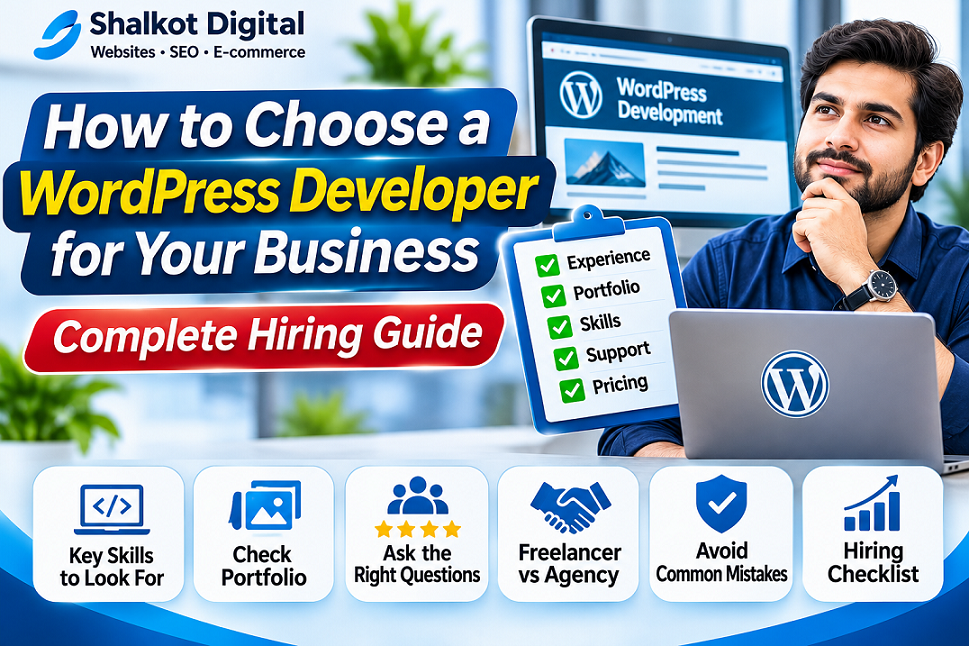
How to Choose a WordPress Developer for Your Business
A practical hiring guide covering skills, portfolios, budgets, ownership, security, proposals, and the questions to ask before signing a contract.
Hiring the right WordPress developer can make the difference between a website that supports your business and one that becomes expensive to maintain. A polished portfolio is helpful, but it does not tell you everything about a developer’s technical ability, communication, or long-term reliability.
This guide explains how to choose a WordPress developer based on your actual project requirements. Whether you need a five-page business website, a WooCommerce store, a redesign, or custom functionality, you can use the steps below to compare candidates with confidence.
1. Decide What Your Website Needs Before Hiring
Start by writing a short project brief. A developer cannot estimate accurately if the requirements are unclear. Include the purpose of the website, your audience, the pages you expect, and any special functionality.
Business website
Home, About, Services, Portfolio, Contact, lead forms, and a design that works well on phones.
Online store
WooCommerce products, variations, shipping zones, payment integrations, checkout testing, and order notifications.
Content website
Blog categories, author workflows, internal navigation, search-friendly archives, and publishing tools.
Custom functionality
Calculators, dashboards, integrations, member areas, booking features, or purpose-built plugins.
Also identify who will supply written content, product photographs, brand assets, legal pages, and translations. Those items often affect the timeline as much as the technical work.
2. Choose the Right Type of WordPress Specialist
Not every WordPress professional does the same work. A designer may be excellent at visual layouts but not custom PHP development. A developer may be technically strong but need a designer for a brand-heavy project.
| Specialist | Best for | What to verify |
|---|---|---|
| WordPress site builder | Standard business pages and landing pages | Responsive design, accessibility, editor handover |
| WordPress developer | Custom themes, plugins, integrations | PHP, WordPress hooks, safe coding, version control |
| WooCommerce developer | Online stores and checkout workflows | Product variations, payments, taxes, shipping, order testing |
| SEO-focused developer | Technical improvements and site migrations | Indexability, redirects, structured data, performance |
| Agency or small team | Projects requiring multiple skills | Clear responsibilities, project manager, revision process |
For a straightforward brochure website, a capable freelancer may be enough. For a complex store or custom application, you may benefit from a specialist or a team with complementary skills.
3. Review Real, Relevant Portfolio Projects
Ask candidates for links to live websites that resemble your project. Do not judge only by screenshots. Open the websites on a phone, test navigation, check forms where appropriate, and consider whether the content is easy to read.
Ask exactly what the developer contributed. Did they create the design, build custom functionality, configure an existing theme, migrate content, or only perform maintenance? The answer matters when assessing fit.
At Shalkot Digital, you can review our portfolio of websites and online tools to see the types of projects associated with our work.
4. Ask About Technical Quality, Not Just Appearance
Mobile responsiveness and accessibility
The site should be usable on narrow screens with readable text, accessible navigation, meaningful labels, and sufficient contrast. Ask whether the developer tests different devices and keyboard navigation.
Performance
Ask how they manage images, caching, fonts, scripts, and hosting limitations. A developer should explain performance tradeoffs rather than promise a perfect speed score under every condition.
Security
Discuss software updates, least-privilege user roles, backups, HTTPS, secure form handling, and recovery procedures. No website can be guaranteed immune to attacks.
Maintainability
Confirm whether the developer uses a child theme when appropriate, avoids unnecessary plugins, documents custom code, and makes updates in a staging environment for significant changes.
SEO foundations
Request clean URLs, sensible heading structure, proper canonical settings, XML sitemap compatibility, redirects for changed URLs, and basic indexability checks. For deeper work, see our SEO services.
5. Compare Written Proposals, Not Just Prices
Two quotes can look similar while covering very different deliverables. Request a written proposal with an itemized scope, timeline, payment schedule, revision policy, and exclusions.
| Proposal item | Questions to ask |
|---|---|
| Scope | How many pages, templates, forms, and features are included? |
| Design | Custom design or existing theme? How many revisions? |
| Content | Who writes copy and supplies images or product data? |
| Hosting | Who buys and controls the hosting and domain? |
| Plugins | Are paid licenses included? Who renews them? |
| Testing | Which browsers, devices, forms, and checkout flows are tested? |
| Support | What happens after launch? Is there a warranty period? |
| Ownership | Who receives administrator access, files, backups, and credentials? |
6. Understand Typical Website Budget Factors
There is no universal price for WordPress development. Costs depend on location, experience, scope, content readiness, design complexity, integrations, and support. A simple website assembled from a well-supported theme will generally require less work than a custom WooCommerce store or web application.
When comparing budgets, distinguish one-time development from recurring expenses such as domain renewal, hosting, premium plugin licenses, maintenance, backups, and content updates. A low initial quote may be more expensive over time if essential work is excluded.
For a detailed breakdown, read our WordPress website cost guide for 2027. Its figures are planning estimates rather than guaranteed quotes.
7. Ask These 12 Questions Before Hiring
- Which live WordPress projects are most similar to mine?
- What parts of those projects did you personally complete?
- Will you use a custom build, a standard theme, or a page builder—and why?
- How will you make the website responsive and accessible?
- How do you handle backups, security updates, and staging?
- Will I own the domain, hosting account, and website administrator access?
- Which plugins require recurring paid licenses?
- What content and approvals do you need from me?
- How will you test forms, checkout, and mobile navigation?
- What is included in the quoted price, and what costs extra?
- What happens if the project is delayed or the scope changes?
- What training, documentation, and post-launch support will I receive?
8. Watch for Common Hiring Red Flags
Vague scope
“Complete website” without a defined number of pages, features, revisions, or deliverables.
Guaranteed Google rankings
No developer can credibly guarantee a specific organic search position.
No account ownership
The developer insists on controlling your domain or hosting without a clear transfer plan.
No testing or handover
There is no written acceptance process, documentation, or explanation of ongoing maintenance.
Other warning signs include pressure to pay the entire fee upfront without milestones, unwillingness to discuss licenses, and a portfolio that cannot be substantiated. These are reasons to ask more questions, not automatic proof of misconduct.
9. Agree on Milestones and Acceptance Criteria
A milestone-based process makes progress visible. For example, you might approve the site structure first, then the design, then development on staging, and finally the tested launch.
| Milestone | Suggested acceptance check |
|---|---|
| Discovery | Agreed scope, sitemap, responsibilities, and schedule |
| Design | Approved layouts for desktop and mobile |
| Development | Required pages and functions available on staging |
| Quality assurance | Forms, links, performance, security basics, and checkout tested |
| Launch and handover | Live site verified, backups available, credentials transferred |
Write down what counts as a completed feature. For example, “contact form works” should mean it validates input, sends the intended notification, and is tested from an external browser—not merely that the form is visible.
10. Keep Control of Your Website and Business Data
Where possible, register the domain and hosting in accounts controlled by your business. Grant developers appropriate access rather than sharing a personal master password. Use separate accounts, strong passwords, and multifactor authentication where available.
At handover, request an inventory of installed plugins and licenses, a backup, details of custom code, instructions for editing content, and a clear statement of what ongoing support includes. If a store collects customer data, clarify privacy, data handling, and retention responsibilities.
11. Freelancer vs Agency: Which Is Better?
A freelancer can be a strong fit for a well-defined website with a limited number of features. An agency or small team may be more suitable when design, development, SEO, content, and maintenance need coordination. Neither option is automatically better: relevant skills, clear scope, communication, and accountability matter more than the label.
If you are choosing between WordPress and a hosted commerce platform, our WordPress vs Shopify comparison can help clarify the technical direction before hiring.
12. Final WordPress Developer Hiring Checklist
- Define your business goals and must-have features.
- Inspect at least two relevant live portfolio examples.
- Confirm technical skills and who performs the work.
- Get a detailed written proposal and timeline.
- Check recurring hosting, license, and maintenance costs.
- Agree on milestones, revisions, and acceptance tests.
- Confirm ownership of domain, hosting, content, and accounts.
- Clarify security, backups, documentation, and post-launch support.
Frequently Asked Questions
How do I know whether a WordPress developer is experienced?
Review relevant live work, ask what they personally built, discuss technical decisions, and request a clear explanation of their testing and handover process. References can provide additional context when available.
Should I hire a freelancer or a WordPress agency?
Choose based on project complexity and the skills required. A freelancer may suit a smaller defined project, while a team may be helpful for complex design, development, and content work.
Should I pay the full amount before development starts?
Payment structures vary, but a written agreement with defined milestones and deliverables generally provides clearer expectations for both parties than an undefined upfront payment.
Can a WordPress developer guarantee SEO results?
No. A developer can implement technical SEO best practices, but search rankings depend on competition, content quality, search engine systems, and many other factors.
Who should own my domain and hosting?
For most business websites, it is prudent for the business to control its own domain registration and hosting accounts, while granting the developer the access needed for the project.
What should I receive when the website is finished?
At minimum, confirm access to the live website, administrator accounts, relevant files or backups, license details, and the documentation and support promised in your agreement.
Conclusion: Choose for Long-Term Value
The best WordPress developer for your business is someone who understands your goals, demonstrates relevant work, communicates clearly, and agrees to measurable deliverables. Look beyond the lowest quote or the most impressive mockup. A maintainable website with reliable support can provide better long-term value than a rushed launch.
Need a WordPress Website or Redesign?
Shalkot Digital welcomes inquiries about business websites, WooCommerce stores, custom WordPress features, and technical improvements. Tell us what you need and we’ll discuss a suitable project scope.
Request a Project QuoteExplore WordPress ServicesYou can also browse our portfolio and full services directory.