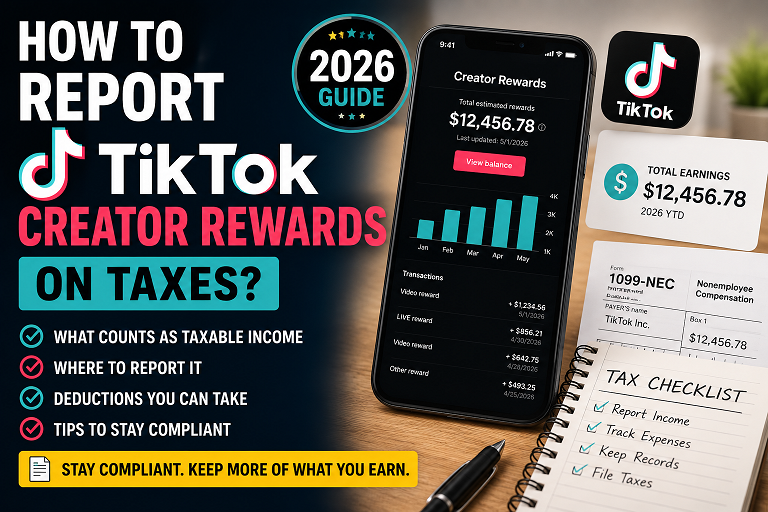
🎯 Featured Snippet Answer: How Do I Report TikTok Creator Rewards on Taxes?
To accurately fulfill your obligations on how to report tiktok creator rewards on taxes, you must treat your channel yields as self-employment business income. Under the active 2026 tax updates, if you earn $2,000 or more in a calendar year from the program, TikTok will issue you a Form 1099-NEC by January 31. You must report this gross revenue on Schedule C (Form 1040). Because you operate as a sole proprietor, you can list ordinary and necessary business expenses (like your smartphone, ring lighting, and editing suites) on Schedule C to systematically lower your net taxable profit before calculating self-employment tax obligations on Schedule SE.
Guide Directory
- 1. The Independent Contractor Framework: Why Your Views Are a Business
- 2. The 2026 OBBBA Tax Rule Overhaul: Form 1099-NEC vs. 1099-K
- 3. Walkthrough: How to Report TikTok Creator Rewards on Taxes on Schedule C
- 4. The Creator Deductions Dictionary: Maximizing Your Write-Offs
- 5. Navigating Estimated Quarterly Tax Obligations (Form 1040-ES)
- 6. Advanced Scaling: LLC Formations and Corporate Entity Options
- 7. Audit-Proofing Your Video Business Assets & Long-Term Bookkeeping
1. The Independent Contractor Framework: Why Your Views Are a Business
The explicit moment you select “Accept” on the monetization terms inside the TikTok Studio interface, your legal status with the Internal Revenue Service undergoes a structural shift. You are no longer categorized as a traditional employee who receives a predictable W-2 payroll slip with pre-calculated automatic state and federal tax matchings. Instead, you operate as an independent commercial entity—specifically, a sole proprietor.
This reality catches many creative professionals off guard when they look at their initial year-end accounting statements. Every distribution payment you route to your bank account represents gross, untaxed revenue. This capital is exposed to two independent tiers of federal obligations: traditional progressive federal income tax, and the self-employment tax levy. The self-employment tax rate remains set at 15.3%, which is comprised of 12.4% allocated for Social Security funds and 2.9% dedicated to Medicare coverage.
Unlike standard tax configurations where an employer splits this structural cost with you, as an independent creator, you are considered both the employer and the employee. Therefore, you are responsible for the entire 15.3% calculation. Crucially, this self-employment obligation activates the minute your net aggregate freelance earnings cross a baseline of $400 inside a single tax cycle, regardless of whether your channel operates as a casual part-time evening hobby or a full-time multimedia enterprise.
2. The 2026 OBBBA Tax Rule Overhaul: Form 1099-NEC vs. 1099-K
A massive point of confusion for digital creators centers on the changing reporting thresholds enacted by Congress. For the 2026 tax year, the legislative landscape has shifted due to the One Big Beautiful Bill Act (OBBBA). This legislation permanently repealed the previous, highly controversial $600 threshold rollout plans for specific 1099 documents, creating a two-tiered platform environment that changes how you track your earnings data.
First, the minimum reporting limit for Form 1099-NEC (Nonemployee Compensation)—which is the exact tiktok creator rewards tax form you rely on—has been officially raised from $600 to $2,000. If your cumulative earnings from direct platform payouts (including Creator Rewards and Live Virtual Diamonds) hit or exceed $2,000 within the calendar year, TikTok is legally required to submit a copy of your 1099-NEC to the IRS and provide you access to a copy by January 31st.
Second, if you generate revenue via TikTok Shop as an affiliate or merchant, those payments travel through third-party payment settlement processors. Under the OBBBA provisions, the federal reporting threshold for Form 1099-K has officially reverted to the traditional limit of $20,000 and 200 individual transactions. This change dramatically cuts down on end-of-year administrative paperwork for micro-influencers and casual sellers.
| Income Category | IRS Document | 2026 Federal Limit | Core Source Filing Agent |
|---|---|---|---|
| TikTok Creator Rewards | Form 1099-NEC | $2,000 (Indexed for Inflation) | TikTok Inc. / ByteDance |
| TikTok Shop Affiliate Sales | Form 1099-K | $20,000 AND 200 Transactions | Integrated Settlement Networks |
| Direct Brand Deals & Sponsorships | Form 1099-NEC | $2,000 per brand partner | Individual Corporate Sponsors |
However, you must avoid a common misunderstanding: the absence of an official tax form does not equal an exemption from your taxes. If you earn $1,500 from the creator program, TikTok will not file a 1099-NEC under the 2026 rule. Yet, you are still legally required to declare that exact $1,500 on your returns as business cash receipts. The IRS expects full self-reporting on all worldwide business gross income, regardless of document thresholds.
3. Walkthrough: How to Report TikTok Creator Rewards on Taxes on Schedule C
Filing your tax return doesn’t have to be overwhelming if you understand the data workflow. Let’s look at the exact step-by-step journey of your earnings data from your initial platform balance to your official IRS Form 1040 submission documents.
Step 1: Access and Secure Your Digital Payout Ledger
Do not attempt to build an accounting strategy using approximations based on bank deposits. Log directly into your creator profile and navigate to TikTok Studio > Balance > Monthly Earnings > Payout Setup to access your official ledger history. Cross-reference your app dashboards against your linked financial payout hubs, such as PayPal or your business bank account, to identify and isolate any platform transaction fees that occurred during the transfer process.
Step 2: Declare Gross Figures on Schedule C, Line 1
When executing your tax strategy for how to report tiktok creator rewards on taxes, you must input your complete unadjusted earnings total directly on Line 1 (Gross Receipts or Sales) of your IRS Schedule C form. If you do not have a registered legal business entity like a corporate LLC, enter your personal name on line A, leave line B blank, and use your personal Social Security Number (SSN) as your main identifying tax code identifier.
Step 3: Factor in Platform and Processing Write-Offs
If third-party electronic processing accounts cut a standard transactional processing fee from your gross distributions, do not lower your Line 1 declaration directly. Instead, record the total platform distribution on Line 1, and report the associated merchant platform fees on Line 10 (Commissions and fees) or Line 27a (Other Expenses). This keeps your gross revenues matching perfectly with what TikTok reported to the government, preventing automated tracking mismatches.
Operational Insight: Self-managing multi-column tax lines can become incredibly complex if your digital assets stretch across various brand deals and platforms. Utilizing a specialized small-business platform tracking system like the [TurboTax Home & Business Software Suite] simplifies this compliance workflow by guiding you through targeted creator questions and populating your structural Schedule C variables automatically.
4. The Creator Deductions Dictionary: Maximizing Your Write-Offs
Learning the mechanics of how to report tiktok creator rewards on taxes is only half the battle. The real key to reducing your tax liability lies in maximizing your legitimate business deductions under Internal Revenue Code Section 162. This rule allows you to deduct expenses that are both “ordinary” (common in your industry) and “necessary” (helpful for your business development).
For video producers and digital content creators, your operational overhead looks very different from a traditional brick-and-mortar storefront. Here is a breakdown of ordinary and necessary content creator expenses you can use to lower your net taxable business profit:
- Production Hardware Elements: Your primary recording smartphones, mirrorless video configurations, digital lenses, external audio recorders, and production storage setups can be fully expensed in the year of purchase using Section 179 rules.
- Studio Audio Accessories: Upgrading your acoustic setup with a broadcast-grade mic like the [Shure MV7+ USB Podcast Microphone] or investing in dedicated studio softboxes can be written off if they are primarily used for your content creation workspace.
- Paid Cloud Subscriptions: Monthly costs for professional editing apps (like CapCut Pro or Adobe Creative Cloud), graphic design platforms (Canva Pro), and royalty-free stock music sound libraries are entirely deductible.
- Digital Promotion and Asset Fees: Capital spent using the internal “TikTok Promote” feature to boost visibility for your organic videos can be claimed as a direct marketing deduction on Line 8 (Advertising) of your Schedule C.
The Home Office Deduction: A High-Value Creator Asset
If you use a specific, clearly defined section of your residential home or apartment regularly and exclusively to edit your timelines, record voiceovers, or review your brand data, you can claim a home office deduction. This allows you to deduct a proportional percentage of your monthly rent, home insurance premiums, electrical utilities, and internet bills.
You can choose the simplified method, which provides a flat deduction of **$5 per square foot** up to a maximum of 300 square feet ($1,500 max). Alternatively, you can use the detailed actual expense method to claim higher deductions if your actual housing costs are significant. However, remember the rule of exclusivity: if your recording corner also serves as your everyday personal guest bedroom, it fails the strict IRS exclusivity test.
5. Navigating Estimated Quarterly Tax Obligations (Form 1040-ES)
A frequent error that catches many successful digital content creators off guard is waiting until April of the following year to settle their tax bills. Because our federal tax framework operates on a “pay-as-you-go” mandate, independent contractors must pay their taxes throughout the year as they earn income.
If you expect to owe **$1,000 or more** in net tax obligations when you file your annual return, you are legally required to submit estimated quarterly tax payments using **Form 1040-ES**. These payments must be made four times a year, according to a strict seasonal schedule:
| Quarterly Payment Period | Covered Earning Dates | Official IRS Due Date |
|---|---|---|
| First Installment | January 1 – March 31 | April 15 |
| Second Installment | April 1 – May 31 | June 15 |
| Third Installment | June 1 – August 31 | September 15 |
| Fourth Installment | September 1 – December 31 | January 15 (Following Year) |
To avoid underpayment penalties, you can leverage the IRS **Safe Harbor rules**. If your estimated payments equal at least **100% of your prior year’s total tax liability** (or 110% if your adjusted gross income exceeds $150,000), you will not face underpayment penalties at the end of the year, even if your current-year creator earnings jump significantly.
6. Advanced Scaling: LLC Formations and Corporate Entity Options
As your channel metrics grow and your monthly deposits steady out, you may want to look beyond a basic sole proprietorship structure. Transitioning into a formal business entity like a **Limited Liability Company (LLC)** offers notable legal and structural advantages.
First, an LLC provides vital liability protection by separating your personal wealth from your business liabilities. If your media channel ever faces a legal issue over copyright claims or intellectual property, your personal assets (like your home or personal savings accounts) are generally shielded from business debts.
Second, as your net creator profits approach **$80,000 to $100,000 per year**, an LLC allows you to elect **S-Corporation tax treatment**. Under an S-Corp structure, you can pay yourself a reasonable salary via traditional W-2 payroll, and take the remaining profits as business distributions. These distributions are exempt from the 15.3% self-employment tax, which can save high-earning creators thousands of dollars in payroll liabilities each year.
7. Audit-Proofing Your Video Business Assets & Long-Term Bookkeeping
The best defense against a stressful tax review is a proactive, audit-proof record-keeping strategy. If an IRS examiner ever asks you to verify your deductions, having an organized digital archive ready will make the process smooth and stress-free.
1. Separate Your Personal and Business Banking
Mixing your personal expenses with your business revenues is a common mistake that can complicate your tracking. Open a dedicated checking account and secure a business credit card exclusively for your media expenses. Route your monthly TikTok payouts directly into this account, and use it to pay for all your creator tools and subscriptions. This clear separation makes calculating your year-end numbers incredibly straightforward.
2. Establish an Unshakable Receipt Management Strategy
A simple bank statement isn’t always enough to verify a deduction; the IRS often prefers to see itemized store receipts showing exactly what was purchased. Maintain a clean cloud folder organized by year and category. Use scanning apps to save digital copies of your store receipts immediately. This ensures your documentation remains secure and legible, as printed paper receipts can easily fade over time.
Conclusion: Taking Control of Your Digital Business Finances
Mastering the process of how to report TikTok creator rewards on taxes is a natural step in scaling your career as a digital professional. By understanding your tax classifications under the 2026 OBBBA guidelines, gathering your tax forms early, and tracking your business expenses on Schedule C, you can keep your business compliant while protecting your profits.
Want to optimize your digital brand strategy further? Explore our latest workflow guides on Shalkot Digital Guides, or reference the latest official compliance updates directly on the official IRS Web Portal.
#TikTokCreatorRewards, #CreatorTaxes, #1099NEC, #InfluencerTaxTips, #ScheduleC, #FinTok, #OBBBA2026