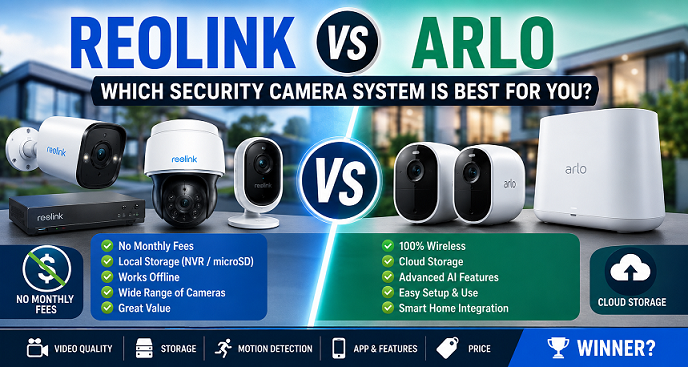
Best Reolink and Arlo Models to Compare
When people search Reolink vs. Arlo, they are often not comparing every product from both companies. They are usually comparing the most popular battery cameras, outdoor cameras, floodlight cameras, and doorbell cameras. That is why model selection matters.
| Use Case | Reolink Option | Arlo Option | Best Choice |
|---|---|---|---|
| Battery outdoor camera | Reolink Argus series | Arlo Essential or Pro series | Reolink for no fee, Arlo for cloud alerts. |
| Floodlight camera | Reolink floodlight models | Arlo Floodlight | It depends on wiring and app preference. |
| Video doorbell | Reolink Video Doorbell | Arlo Video Doorbell | Reolink for local storage |
| Multi-camera system | Reolink NVR or Home Hub | Arlo with a secure plan | Reolink for long-term cost |
If you are building a full home security system with several cameras, Reolink tends to become more attractive as your system grows. The more cameras you add, the more important subscription savings become. Arlo can still make sense for users who prefer a simple, cloud-first system, but it is rarely the most cost-effective long-term path.
Reolink vs. Arlo: Smart Home Compatibility
Both brands support modern smart-home lifestyles, but neither should be chosen solely for voice assistant support. Security cameras need to be reliable first and convenient second.

Arlo generally feels smoother for users seeking a polished consumer smart-home experience. It works well for homeowners who want quick alerts, easy viewing, and simple daily use. Reolink appeals more to buyers who like flexible storage, local control, and deeper system options.

If your smart home already depends heavily on Alexa routines, Arlo may feel more natural. If your priority is recording ownership, storage control, and no-monthly-fee security cameras, Reolink is usually the better match.
Affiliate Buying Recommendation
From a buyer’s perspective, the safest recommendation is to start with one camera in the exact location you care about most. Test Wi-Fi strength, notification speed, night vision, battery performance, and app usability before purchasing a large bundle.
For most homes, the first camera should cover the front door, driveway, or garage. These locations usually provide the highest security value because they capture visitors, vehicles, deliveries, and suspicious activity near common entry points.
If that first camera performs well, then expand to the backyard, side gate, basement entry, or detached garage. This step-by-step approach prevents wasted money and helps you avoid buying into the wrong ecosystem.
Review Summary
| Buyer Priority | Recommended Brand |
|---|---|
| Lowest long-term cost | Reolink |
| Best cloud convenience | Arlo |
| Best no-subscription setup | Reolink |
| Best beginner app | Arlo |
| Best privacy control | Reolink |
| Best premium smart alerts | Arlo |
The decision is not complicated once you understand the business model. Reolink sells cameras that can operate well with local storage. Arlo sells a premium cloud security experience that is strongest when paired with its paid services.
Reolink vs Arlo 2026: Which Security Camera System Is Better for US Homeowners?
Featured snippet answer: Reolink is the better choice for most homeowners who want local storage, no required monthly fee, and lower long-term costs. Arlo is better for buyers who want a polished app, advanced cloud features, and subscription-based smart alerts. For value, privacy, and ownership, Reolink wins in 2026.

Choosing between Reolink and Arlo is really a choice between two different smart home security philosophies. Reolink focuses on local storage, flexible recording, and avoiding mandatory subscriptions. Arlo focuses on a premium cloud ecosystem, a cleaner app design, and advanced features that often work best with Arlo Secure.

For US homeowners, this difference matters because the cheapest camera is not always the cheapest system. A camera may look affordable on Amazon or Best Buy, but monthly cloud plans can change the real cost after one, three, or five years. That is why this comparison looks beyond specs and compares storage, subscriptions, video quality, installation, privacy, alerts, smart home support, and long-term value.
This guide is written for buyers comparing Reolink vs. Arlo before purchasing a home security camera system. It also supports our main guide on Best Security Cameras Without Subscription 2026.
Table of Contents
- Quick Comparison
- Overall Winner
- Subscriptions and Long-Term Cost
- Local Storage vs. Cloud Storage
- Video Quality
- Installation and App Experience
- Privacy and Data Control
- Best Use Cases
- FAQs
Reolink vs. Arlo Quick Comparison
| Category | Reolink | Arlo | Winner |
|---|---|---|---|
| Best for | No-subscription security | Cloud-based smart security | Depends |
| Storage | microSD, NVR, Home Hub, local options | Cloud first, some hub-based local options | Reolink |
| Monthly fee | Not required for many core features | Often needed for the best experience | Reolink |
| App polish | Functional and detailed | Smoother and more beginner-friendly | Arlo |
| AI alerts | Useful on many models | Advanced with subscription plans | Arlo |
| Long-term value | Excellent | Good, but subscription costs add up. | Reolink |
Overall Winner: Reolink for Most Buyers
Reolink is the better choice for most homeowners in 2026 because it offers stronger ownership, more local storage flexibility, and lower long-term costs. If your main goal is to record security footage without paying every month, Reolink is the more practical system.

Arlo still has real strengths. Its app feels polished, its ecosystem is easy to understand, and its premium cloud features can be excellent for users who want advanced alerts and a smooth mobile experience. However, Arlo becomes less attractive when you calculate subscription costs over several years.

The simple recommendation is this: choose Reolink if you want control, storage flexibility, and value. Choose Arlo if you are comfortable paying monthly for convenience, cloud intelligence, and a more streamlined experience.

Subscriptions and Long-Term Cost
Subscriptions are the biggest difference between Reolink and Arlo. Reolink cameras commonly support local storage without a monthly payment. Arlo cameras can work for live view and basic use without a plan, but many buyers will want Arlo Secure for cloud recording, smarter detection, and richer alert features.
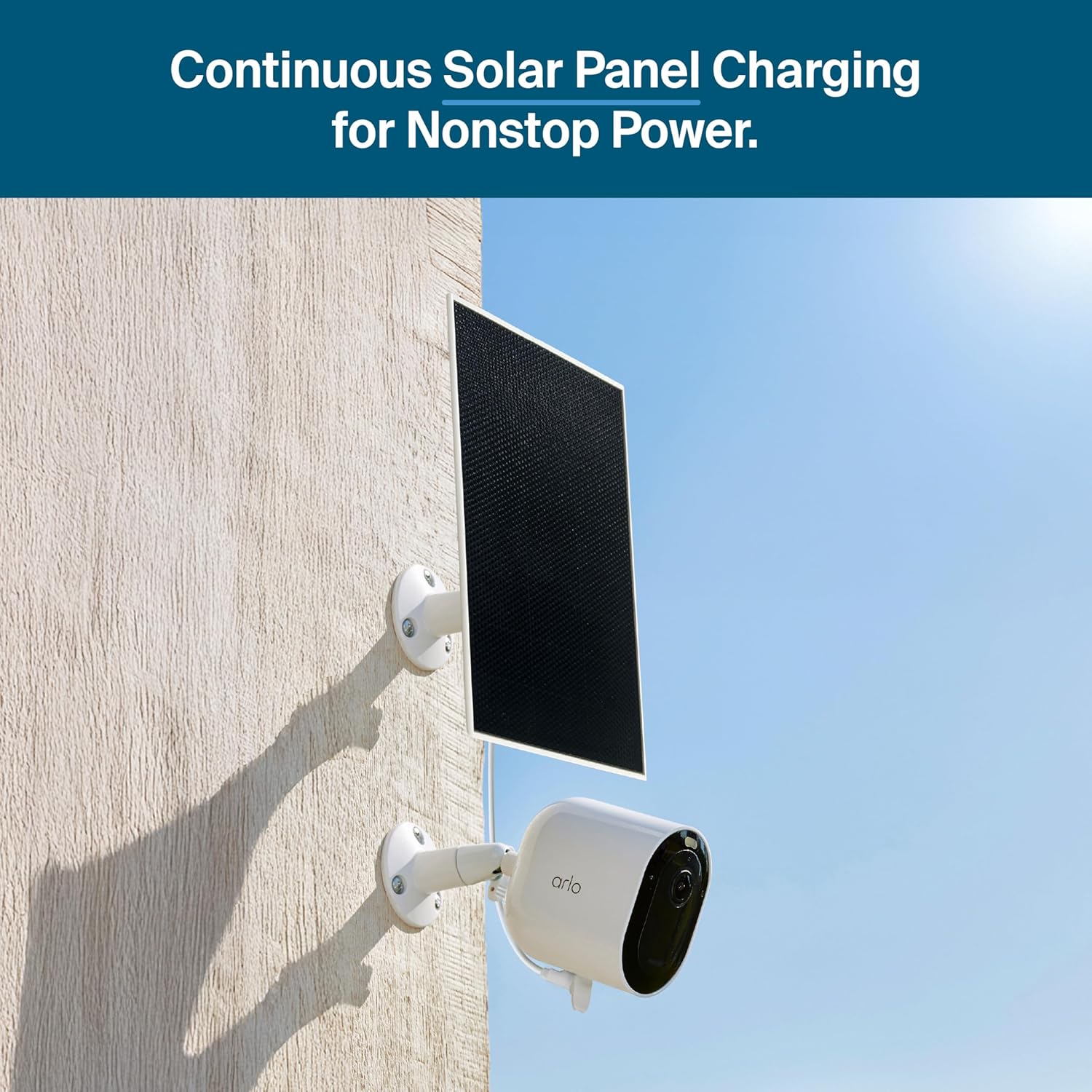
This is where many homeowners make a buying mistake. They compare only the camera price and ignore recurring costs. A lower upfront price can become expensive if the camera needs a monthly plan to feel complete.
| Example Setup | Upfront Cost | Monthly Subscription | Estimated 5-Year Subscription Cost | Long-Term Notes |
|---|---|---|---|---|
| Reolink local storage system | Medium | $0 required | $0 | Best for ownership and savings |
| Arlo cloud-focused setup | Medium | Often required for full value | Can exceed camera cost | Best for cloud convenience |
For a single camera, a subscription may not feel painful. For three, four, or five cameras, the cost becomes serious. Families with multiple entry points, driveways, garages, and backyard areas should calculate the five-year cost before choosing Arlo.
If you are searching for the best security camera without a subscription, Reolink is usually the stronger buy. If you are searching for the best cloud security camera system with premium smart alerts, Arlo remains competitive.
Local Storage vs. Cloud Storage
Reolink is strongest when local storage matters. Many Reolink cameras support microSD cards, NVR systems, and hub-based storage. This gives homeowners more control over recordings and reduces dependence on cloud servers.

Arlo is strongest when cloud storage matters. Its cloud ecosystem is designed for easy playback, remote access, and mobile convenience. That is useful for busy homeowners who want everything handled inside one clean app.
Why local storage matters
- No required monthly cloud fee
- More control over personal footage
- Recording can continue despite some internet problems
- Better long-term ownership
- Useful for privacy-focused households
Why cloud storage matters
- Footage can remain accessible if a camera is stolen.
- Clips are easier to review remotely.
- Sharing a video with family or authorities is simpler.
- Advanced search and AI features can be stronger.
The best option depends on your priorities. Privacy-focused buyers usually prefer Reolink. Convenience-focused buyers may prefer Arlo.
Video Quality and Night Vision
Both brands offer strong video quality, but they approach the market differently. Reolink often competes aggressively on resolution, wide viewing angles, and value. Arlo focuses on balanced image quality, smart alerts, and a premium app experience.
For daytime clarity, many Reolink cameras produce sharp footage that works well for driveways, yards, and entrances. Higher-resolution Reolink models are especially useful when you need wider coverage or more detail at a distance.
Arlo cameras usually provide pleasing image quality with strong processing. The footage often looks polished in the app, and motion clips are easy to review. Arlo’s strength is not only the raw image but also the way the system organizes and presents alerts.
Night vision comparison
Reolink performs well for color night vision on supported models, especially when there is some ambient light or built-in lighting. Arlo also performs well, particularly on models with integrated spotlights. For dark yards, garages, and side entrances, buyers should compare specific models instead of judging only the brand.
Installation and App Experience
Arlo is generally easier for beginners. The app is clean, setup is guided, and the experience feels designed for ordinary consumers. If you want to install a camera quickly without adjusting many technical settings, Arlo feels friendly.
Reolink gives users more control. The app provides useful options for storage, detection, playback, and camera behavior. That flexibility is excellent for power users, but beginners may need more time to learn the settings.
Choose Arlo for easier setup if:
- You want a simple app experience.
- You prefer cloud storage
- You do not want to manage microSD cards.
- You want polished alerts and easy playback


Choose Reolink for more control if:
- You want local storage
- You dislike subscriptions.
- You may expand to multiple cameras
- You want NVR or hub options later.
Privacy and Data Control
Privacy is one of the main reasons buyers compare Reolink vs Arlo. A security camera records sensitive spaces around your home, including doors, garages, children playing outside, visitors, vehicles, and daily routines.
Reolink’s local storage options give users stronger control over where footage is stored. That does not automatically make every setup private, but it gives homeowners more choices. Arlo’s cloud features are convenient, but cloud storage naturally requires more trust in the provider and account security.
Any smart camera owner should use strong passwords, enable two-factor authentication, update firmware, and avoid sharing account access casually.
Best Use Cases: Who Should Buy Reolink?
Reolink is best for homeowners who want a no-monthly-fee security camera system with strong recording flexibility. It is also excellent for people who like to control storage directly.
Buy Reolink if you want:
- Local storage security cameras
- No required monthly subscription
- Outdoor cameras for driveways and yards
- Expandable multi-camera systems
- Better long-term value
- Privacy-focused recording options
Reolink is especially good for homeowners building a serious security setup around several cameras. It can also work well for small businesses that want local recording without paying monthly fees for each camera.
Best Use Cases: Who Should Buy Arlo?
Arlo is best for buyers who want a premium cloud security camera experience and do not mind paying for the features that make it shine. The app is beginner-friendly, the ecosystem is polished, and alerts can feel more refined with a subscription.
Buy Arlo if you want:
- A polished mobile app
- Cloud recording and easy clip access
- Advanced smart alerts
- A simple setup process
- Premium brand recognition
- Convenient remote management
Arlo works well for homeowners who value convenience over avoiding subscriptions. It is also a good fit for users who do not want to manage memory cards or local recording systems.
Reolink vs Arlo for Apartments
Apartment renters should think carefully before buying either system. Drilling, outdoor mounting, hallway recording, and shared-space privacy rules can create problems. Battery-powered cameras are usually better than wired systems for renters.
For apartments, Arlo may feel easier because the app is simple, and wireless models are beginner-friendly. Reolink can still be the better value if you want local storage and no subscription. Renters should focus on cameras that can sit on shelves, attach with removable mounts, or monitor only private spaces.
For more renter-friendly options, read our upcoming guide on Best Security Cameras for Apartments 2026.
Reolink vs Arlo for Outdoor Security
For outdoor use, Reolink usually offers stronger long-term value. Many models provide high resolution, solar options, and local recording. This makes Reolink attractive for garages, sheds, gates, farms, and driveways.
Arlo remains strong outdoors when users want quick installation, clean notifications, and cloud event history. However, outdoor users with several cameras should calculate subscription costs carefully.
| Outdoor Need | Better Choice | Reason |
|---|---|---|
| Driveway monitoring | Reolink | Local storage and high resolution |
| Simple porch camera | Arlo | Easy app and cloud alerts |
| Multiple outdoor cameras | Reolink | Lower long-term cost |
| Premium cloud alerts | Arlo | Stronger subscription features |
Common Mistakes Buyers Make
The first mistake is comparing only hardware prices. Camera cost matters, but subscription cost, storage accessories, solar panels, hubs, mounts, and replacement batteries also affect total ownership.
The second mistake is buying more cloud cameras than needed. A single cloud camera may be affordable. A five-camera cloud system can become expensive quickly.
The third mistake is ignoring Wi-Fi strength. Even the best camera performs poorly if the signal is weak near the garage, porch, or backyard.
The fourth mistake is choosing features you will not use. Some users pay for advanced cloud AI when they only need basic motion recording.
Real-World Setup Scenario
Imagine a typical suburban home with a front porch, driveway, backyard gate, and garage side door. That home needs at least four cameras for useful coverage. With Reolink, the owner can choose local storage and avoid a recurring fee for every camera location. With Arlo, the owner may enjoy easier cloud playback, but the subscription becomes part of the ongoing household budget.
This is why Reolink often wins for practical homeowners. The system may require more attention during setup, especially when choosing storage cards, hubs, or NVR options, but the owner gets stronger control afterward. Arlo feels easier at the beginning, yet the long-term experience depends more on staying subscribed.
For older parents, busy families, or rental properties, convenience matters. Arlo can be a better choice when someone wants a camera that simply sends polished alerts and stores clips online. For homeowners who are comfortable managing storage and settings, Reolink usually delivers better value.
Who Should Avoid Each Brand?
Avoid Reolink if you hate adjusting settings, managing storage, or learning app options. Reolink is not difficult, but it rewards users who want control.
Avoid Arlo if you dislike subscriptions, want predictable ownership costs, or plan to install several cameras. Arlo can become expensive when every important area of the home needs cloud recording.
FAQs About Reolink vs Arlo
Is Reolink better than Arlo?
Reolink is better for local storage, no-subscription use, and long-term savings. Arlo is better for cloud features, app polish, and subscription-based smart alerts.
Does Reolink require a subscription?
No. Many Reolink cameras support local recording without a required monthly subscription, although optional cloud services may be available for some users.
Does Arlo require a subscription?
Arlo does not always require a subscription for live viewing, but many important features work best with Arlo Secure. Read our guide on Does Arlo Require a Subscription? for a deeper breakdown.
Which is better for privacy?
Reolink is usually better for privacy-focused users because it offers more local storage choices and reduces cloud dependence.
Which is better for beginners?
Arlo is generally easier for beginners because the app experience is smoother and the setup feels more guided.
Final Verdict: Reolink Wins for Value, Arlo Wins for Convenience
Reolink and Arlo are both strong security camera brands, but they serve different buyers. Reolink is the better choice for homeowners who want local storage, no required monthly fee, privacy control, and better long-term value. Arlo is better for users who want a polished cloud ecosystem, an easier setup, and advanced smart alerts through a subscription plan.
For most US homeowners building a practical security system in 2026, Reolink is the smarter buy. It keeps costs lower, gives users more control, and fits perfectly with the growing demand for no-subscription security cameras.
Arlo is still worth considering if convenience matters more than ownership. But before buying, calculate the real five-year cost. That single step can prevent an expensive mistake.
One final point matters for affiliate buyers: do not choose a camera only because it is discounted today. Security cameras are long-term household devices. A $40 sale price is not a bargain if the app frustrates you, the alerts are delayed, or the subscription becomes annoying after six months. The better purchase is the system you will actually keep using. Reolink usually wins when ownership cost and storage freedom matter most. Arlo usually wins when convenience and cloud intelligence matter most. That difference should guide the final decision more than any temporary coupon, bundle discount, or limited-time sale banner on a retailer’s page. Choose based on ownership style first, then compare current prices carefully before checkout online.
Suggested Internal Links
- Best Security Cameras Without Subscription 2026
- Does Arlo Require a Subscription?
- Best Video Doorbells Without Subscription
- Eufy vs Blink 2026
External Resources
“`
[1]: https://reolink.com/product/argus-4-pro/?srsltid=AfmBOoo7_FKId_zieheBBs840g-BWNCnKdI95QtbBBdSCF1t1qihruZs&utm_source=chatgpt.com “[Official] Reolink Argus 4 Pro – 4K 180° Wireless Solar …”