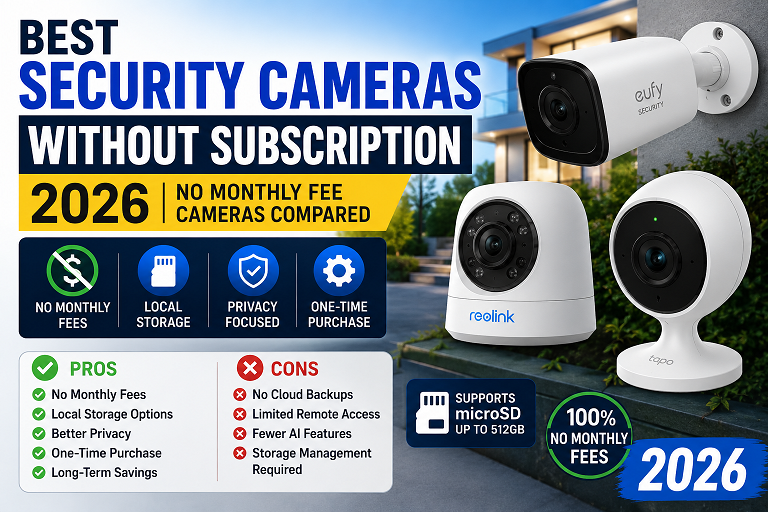
That is why subscription-free security cameras have become one of the fastest-growing smart home categories in America. Buyers now want cameras that provide local recording, remote viewing, strong night vision, and reliable alerts without requiring another monthly payment.
A quality no-subscription camera can save homeowners hundreds of dollars over several years while also improving privacy and reducing cloud dependency.
Why Homeowners Are Avoiding Security Camera Subscriptions
Over the past few years, subscription fatigue has exploded across the US market. Consumers already pay recurring fees for streaming services, cloud storage, internet, smart home services, and software subscriptions. Adding another monthly fee for home security often becomes frustrating.
Many camera brands now use low hardware pricing to attract buyers, then recover profits through subscription plans. This means the real long-term cost of ownership can become surprisingly expensive.
For example:
- A $99 camera may require an $8 monthly subscription
- Over 5 years, that subscription alone could exceed $480
- Multiple cameras increase costs even more
- Some brands disable advanced AI features without subscriptions
Because of this, local-storage systems and no-subscription cameras are rapidly becoming one of the hottest smart home trends in 2026.
Quick Comparison: Best Security Cameras Without Subscription
| Camera | Best For | Storage Type | Subscription Required? |
|---|---|---|---|
| Reolink Argus 4 Pro | Best overall | Local microSD / Reolink storage | No |
| Eufy SoloCam S340 | Best privacy-focused camera | Local storage | No |
| Lorex 4K System | Best professional setup | NVR / DVR local storage | No |
| Wyze Cam v4 | Best budget option | microSD local storage | No, optional only |
| Blink Outdoor 4 | Best for Alexa homes | Optional local storage | No, optional only |
What Makes a Good No-Subscription Security Camera?
Not every “subscription-free” camera is actually good long-term. Some brands advertise free storage but heavily limit important features. Others force users into cloud ecosystems later.
The best no-subscription security cameras should include:
- Reliable local storage
- Good video quality
- Smart AI detection
- Remote mobile viewing
- Motion alerts
- Weather resistance
- Easy installation
- Long battery life
- Strong mobile apps
Modern cameras should also support at least 2K resolution, color night vision, and encrypted storage whenever possible.
Why More Americans Are Choosing No-Subscription Cameras
Subscription fatigue has become a major issue for modern consumers. Families already pay monthly fees for streaming platforms, music services, cloud storage, gaming subscriptions, fitness apps, internet providers, and phone plans. Security camera subscriptions add another recurring expense that continues long after the camera purchase.
Many buyers initially think a camera costs less than one hundred dollars. Later, they discover they must pay monthly fees simply to review footage or use advanced motion alerts. Some brands even disable basic features without subscriptions.
Over five years, the subscription cost may become far more expensive than the hardware itself.
For example, a three-camera setup using a cloud-dependent brand could cost ten to twenty dollars every month. Over five years, that equals six hundred to twelve hundred dollars in subscription fees alone. In comparison, a quality local-storage camera system may require only a one-time hardware purchase.
Another important reason for the popularity of local storage systems is privacy. Many users dislike the idea of storing personal home footage on external servers. Cameras that save recordings locally to microSD cards, NVR systems, or internal storage provide more direct ownership and better control over personal data.
What Makes a Good Security Camera Without a Subscription?
Not every camera advertised as subscription-free delivers a good long-term experience. Some companies technically allow free recording while heavily limiting important features. The best subscription-free cameras should provide dependable recording, strong video quality, reliable motion detection, and user-friendly apps without forcing upgrades.
Important features to consider include:
- Video resolution
- Field of view
- Weather resistance
- Local storage support
- Mobile app quality
- Night vision
- Smart home compatibility
- Battery life
- Installation difficulty
- Storage limitations
Modern security cameras should ideally support at least 2K resolution, color night vision, AI-based motion detection, and encrypted local storage. Cameras designed for outdoor use should also include strong weather protection and dependable wireless connectivity.
Best Overall Security Camera Without Subscription: Reolink Argus 4 Pro
The Reolink Argus 4 Pro is one of the strongest overall choices for homeowners who want premium features without monthly fees. Reolink has built a strong reputation by focusing heavily on local storage and flexible ownership instead of aggressive cloud subscriptions.

The camera supports 4K video recording, color night vision, AI person and vehicle detection, remote mobile viewing, and solar charging support. Users can store recordings directly on microSD cards without requiring cloud subscriptions.
Best For
- Front yards
- Garages
- Backyards
- Driveways
- Small business entrances
Pros
- No mandatory subscription
- Excellent 4K video quality
- Local storage support
- Solar charging option
- Strong outdoor performance
- Useful AI detection features
Cons
- The app may feel slightly technical for beginners
- Higher upfront price than budget cameras
Best Privacy-Focused Security Camera: Eufy SoloCam S340
The Eufy SoloCam S340 remains one of the most popular privacy-focused cameras in the American smart home market. Eufy’s approach emphasizes local ownership, encrypted storage, and minimal subscription dependency.
The camera includes dual-lens monitoring, solar charging support, smart AI tracking, and strong mobile app integration. Unlike some cloud-heavy competitors, Eufy allows users to store footage locally without requiring ongoing monthly plans.
Pros
- No mandatory monthly fee
- Strong AI tracking
- Solar charging support
- Good mobile app
- Local storage ecosystem
Cons
- Past privacy criticism may concern some buyers
- More expensive than entry-level cameras
Best Professional No-Subscription Camera System: Lorex 4K Systems
Lorex remains one of the strongest choices for homeowners who want professional-grade security recording without cloud dependence. Unlike battery-powered consumer cameras, Lorex systems often use NVR or DVR setups capable of recording continuously twenty-four hours per day.
These systems usually include multiple cameras, large hard drives, and reliable wired connections designed for long-term stability.
Best For
- Large homes
- Offices
- Warehouses
- Parking areas
- Properties requiring multiple cameras
Pros
- 24/7 continuous recording
- No cloud dependency
- Large local storage capacity
- Great for larger properties
- Professional-grade reliability
Cons
- Higher upfront cost
- More difficult installation
- Less renter-friendly
Best Budget Security Camera Without Subscription: Wyze Cam v4
Wyze continues dominating the affordable smart camera category in the United States. The Wyze Cam v4 provides impressive features for a very low price while still supporting local recording through microSD cards.
The camera includes color night vision, motion alerts, two-way audio, and indoor/outdoor compatibility. Setup is simple, making the camera especially attractive for renters, students, and apartment users.
Pros
- Very affordable
- Simple setup
- microSD local recording
- Good for apartments
- Compact design
Cons
- Some advanced features require a subscription
- Less premium build quality
- Not ideal for large properties
Best Security Camera for Alexa Smart Homes: Blink Outdoor 4
Blink Outdoor 4 cameras remain popular among Amazon Alexa users because of their simple integration and long battery life. Blink systems work especially well for homeowners already using Echo devices and Alexa routines.
The cameras support wireless installation, remote viewing, and optional local storage through Sync Modules.
Pros
- Excellent Alexa integration
- Long battery life
- Easy wireless setup
- Good for small homes
Cons
- Local storage may require extra hardware
- Video quality is not as strong as 2K or 4K competitors
- Subscription is heavily promoted
Cloud Storage vs Local Storage
Cloud Storage Advantages
- Remote backups
- Easy sharing
- Footage may remain available if the camera is stolen
- Longer video history options
Cloud Storage Disadvantages
- Monthly fees
- Privacy concerns
- Internet dependency
- Possible price increases
Local Storage Advantages
- No recurring fees
- Better privacy control
- Direct ownership of recordings
- Offline recording support
- Lower long-term cost
Local Storage Disadvantages
- Limited storage capacity
- Footage may be lost if the device is stolen
- Memory cards may need replacement
Best Security Cameras for Apartments
Apartment renters usually need cameras that are compact, wireless, affordable, and easy to install without drilling large holes or modifying property structures. Battery-powered cameras work especially well because they can move easily between apartments.
The best apartment-friendly cameras include:
- Wyze Cam v4
- Eufy SoloCam S340
- Blink Outdoor 4
Renters should also check apartment rules regarding outdoor camera placement, shared hallways, and recording laws before installation.
Hidden Costs Buyers Often Ignore
Many shoppers compare only upfront hardware pricing while ignoring hidden long-term expenses.
Common hidden costs include:
- Subscription fees
- Replacement batteries
- Solar panels
- Sync modules
- Memory cards
- Mounting accessories
- Professional installation
- Extended warranties
Some camera ecosystems also charge extra for advanced AI features, extended cloud history, or emergency monitoring services. Buyers should compare total ownership costs over several years instead of focusing only on initial purchase prices.
How to Choose the Right No-Subscription Camera
Choose Reolink If:
- You want the best overall value
- You need strong outdoor performance
- You want local storage and AI detection
- You dislike monthly fees
Choose Eufy If:
- You care most about privacy
- You want solar charging
- You like AI tracking features
- You want a polished app experience
Choose Lorex If:
- You need a continuous 24/7 recording
- You have a larger property
- You want professional-grade storage
- You prefer wired security systems
Choose Wyze If:
- You want the lowest price
- You live in an apartment
- You need basic indoor monitoring
- You want an easy setup
Choose Blink If:
- You already use Alexa
- You want long battery life
- You prefer simple wireless cameras
Installation Tips for Subscription-Free Cameras
Installing a modern wireless security camera is much easier than many homeowners expect. Battery-powered cameras usually require only mounting hardware, a stable wireless network, and a smartphone app.
Outdoor cameras should be positioned high enough to avoid tampering while still capturing faces clearly. Front doors, garage entrances, driveways, and backyard gates are usually the highest-priority locations.
Cameras should avoid direct sunlight whenever possible because extreme glare can reduce image quality during certain hours of the day.
Wireless signal strength is another important factor. Large homes with weak internet coverage may require mesh Wi-Fi systems or signal extenders. Cameras placed too far from routers often experience delayed notifications, buffering, or dropped connections.
Homeowners using local storage systems should also purchase reliable high-endurance microSD cards designed specifically for continuous video recording.
How AI Motion Detection Improves Modern Security Cameras
Artificial intelligence has dramatically improved home security systems over the last several years. Older motion detection systems frequently triggered false alerts caused by rain, insects, shadows, or passing vehicles.
Modern AI-based systems can identify people, packages, pets, and vehicles much more accurately. This improvement reduces notification fatigue. Homeowners receive fewer meaningless alerts and can focus on events that actually matter.
Some brands charge extra monthly fees for advanced AI functions. Subscription-free ecosystems like Reolink and Eufy often include useful smart detection tools without additional charges, making them especially attractive for cost-conscious buyers.
Do You Really Need Cloud Storage?
Many buyers assume cloud storage is necessary for modern home security, but that is not always true. For many households, local recording provides more than enough functionality.
Homeowners can still review events, save important clips, and monitor property remotely without monthly plans.
Cloud storage becomes most useful when users want very long video histories or off-site backups. Some homeowners also prefer cloud systems because footage remains available if cameras are stolen during burglaries.
However, many people rarely review old recordings beyond several days. Local storage systems with large memory cards or NVR units often provide enough retention for everyday use while eliminating recurring costs.
Privacy Concerns With Cloud Cameras
Privacy has become a major concern in smart home security.
Cloud-connected cameras may store footage on external servers, which raises concerns about:
- Data sharing
- Account breaches
- Third-party access
- Long-term data retention
Local-storage systems often provide stronger privacy control because recordings remain physically stored within the homeowner’s own devices.
Security Camera Trends in 2026
The smart home industry continues evolving rapidly. One major trend is the growing shift toward local AI processing directly inside cameras instead of relying heavily on cloud servers. This approach improves privacy, speeds up notifications, and reduces internet dependence.
Solar-powered cameras are also becoming increasingly popular because they reduce charging maintenance and improve convenience.
Another major trend involves integration with broader smart home ecosystems. Cameras now connect more easily with smart locks, lighting systems, alarms, voice assistants, and automated routines.
Video quality also continues to improve rapidly. While 1080p once dominated the market, many premium cameras now support 2K, 3K, or 4K recording. Better sensors also improve nighttime clarity and color accuracy.
Comparing Subscription Costs Over Time
One reason buyers increasingly avoid subscription-based cameras is the dramatic long-term expense difference. A household using four cloud cameras can easily spend more than one thousand dollars on subscriptions within several years.
For example, a family paying fifteen dollars monthly spends one hundred eighty dollars yearly. Over five years, the total reaches nine hundred dollars. That amount could purchase multiple premium local storage cameras or a complete professional recording system.
No-subscription systems also make budgeting easier because owners avoid future price increases. Several major smart home brands have raised subscription prices repeatedly during recent years.
Best Choices for Different Homeowners
| User Type | Recommended Camera |
|---|---|
| Best overall choice | Reolink Argus 4 Pro |
| Privacy-focused homeowners | Eufy SoloCam S340 |
| Large homes or businesses | Lorex 4K System |
| Budget buyers | Wyze Cam v4 |
| Alexa users | Blink Outdoor 4 |
Frequently Asked Questions
Can security cameras work without the internet?
Yes. Many cameras can continue recording locally even if internet access temporarily fails. However, remote viewing and mobile notifications may stop working until the connection returns.
How much storage do local cameras need?
Storage needs depend on video resolution and recording frequency. Many homeowners use 64GB or 128GB microSD cards for several days of recordings.
Are wireless cameras reliable?
Modern wireless cameras are much more reliable than earlier generations. Strong Wi-Fi coverage and proper placement are important for consistent performance.
Do non-subscription cameras support smartphones?
Yes. Most modern cameras support Android and iPhone apps for live viewing, alerts, playback, and settings management.
Which brand is best overall?
For most homeowners, Reolink currently offers the strongest overall combination of value, image quality, local storage, and advanced features without mandatory subscriptions.
Final Buying Advice
Before purchasing any security camera, buyers should compare total ownership costs instead of focusing only on initial pricing. Local storage support, warranty quality, software updates, mobile app reliability, and privacy practices are just as important as raw video resolution.
Homeowners should also think carefully about future expansion. Choosing flexible ecosystems with strong local recording can save substantial money over many years while providing better privacy and greater control over personal footage and smart home security systems.
Subscription-free cameras are quickly becoming the preferred solution for modern American homeowners who value affordability, privacy, reliability, and long-term ownership.
Related Guides
- Reolink vs Arlo
- Does Arlo Require a Subscription?
- Best Video Doorbells Without Subscription
- Eufy vs Blink